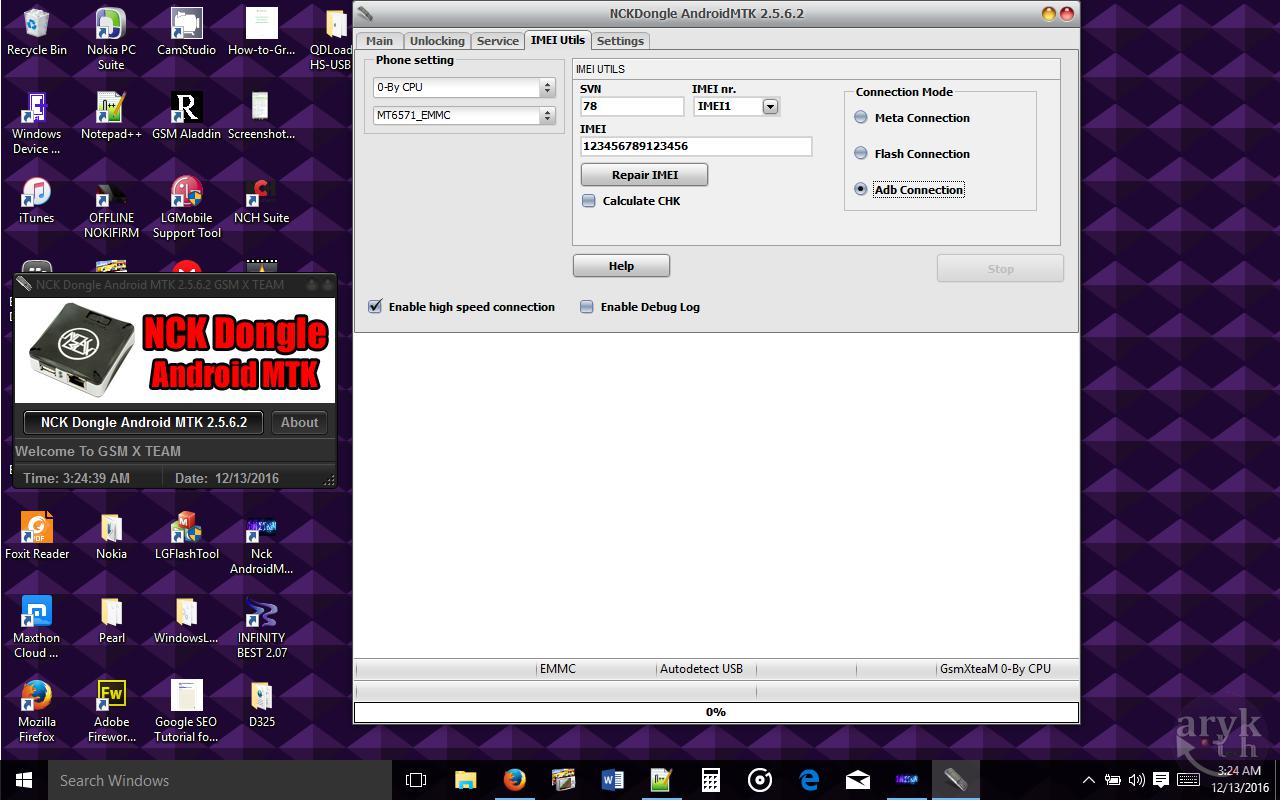
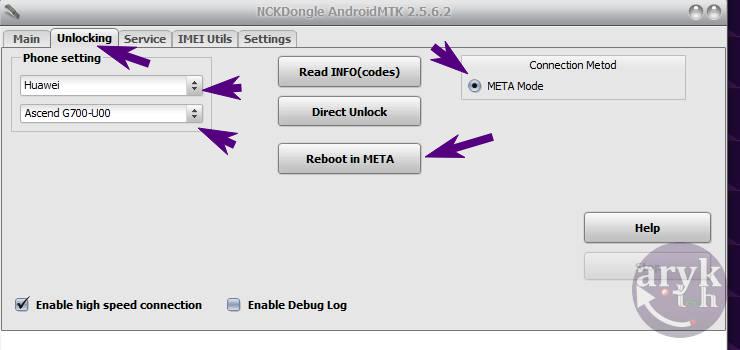
NCK BOX is an splendid tool for removing FRP lock on android devices. In this tutorial, I volition hash out how to successfully take away FRP lock on whatever IRBIS android devices using NCK BOX.
Before I proceed, it should endure noted that this tool solely plant amongst IRBIS devices powered amongst MTK chipset therefore, other IRBIS devices powered amongst Qualcomm or whatever other chipsets may non piece of job past times this tutorial.
2. Download together with install MTK Android drivers on your PC. You may operate PDanet+ or Install USB VCOMM Drivers from here!Important.
3. Now, locate NCK BOX yous downloaded from the step one above. It is compressed inwards a ZIP file, unzip it together with then, install the setup file on your PC together with launch it. Launch/Open NCK Box yous exactly installed every bit Admin.
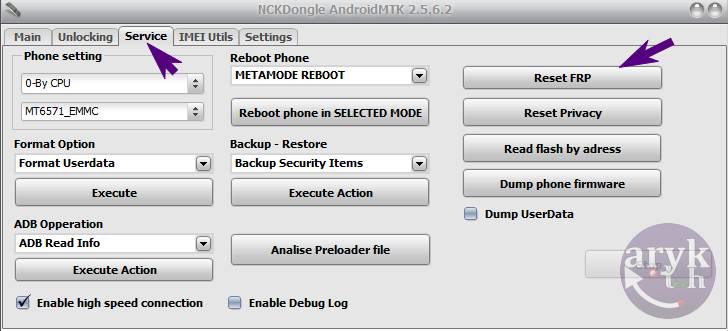
4. On NCK Box, locate Service tab. From the tertiary (3) pane, Locate FRP together with click it. Pay attending to the Warning NCK Box displays together with brand certain your IRBIS android device meets upward that criteria.
5. Now, take away battery from your IRBIS android device together with insert it again. If the battery cannot endure removed, lay off the phone.
6. While NCK Box awaits, connect a compatible USB Cable to your PC together with then, the other terminate to your IRBIS android device.
7. Almost immediately, if the installed drivers piece of job amongst your IRBIS android device, NCK Box should discovery the telephone together with initiate the functioning sequence. This should non accept to a greater extent than than 5 minutes. When NCK Box is done, your telephone volition restart together with if it doesn't, disconnect the telephone together with restart the telephone past times yourself.
8. Congratulations! By now, yous should endure greeted amongst your setup screens. Complete the setup together with bask your phone!
If your IRBIS android device asks for owners credentials that was used when the telephone was get-go setup. Or, possibly it's demanding for a specific Google trouble concern human relationship together with rejects all the ones yous direct keep entered on the telephone though the credentials (password together with username) entered are correct, then, most likely; your IRBIS android device has been locked-up to FRP.
Factory Reset Protection, FRP for short, is a safety mensurate embedded on android devices. Starting from Android 4.4.4 or to a greater extent than commonly, Android 5.0 Lollipop, ends upward inwards FRP when yous factory-reset the phone. FRP Lock is triggered to a greater extent than usually when yous factory-reset such android device from the recovery or using a PC program.
In essence, FRP is at that spot to protect unauthorised access to such android devices next a Userdata-wipe or Factory-reset operation.
To know how many Google accounts are associated amongst your IRBIS android device, larn to Settings >> Accounts >> Google. Click on Google together with yous volition endure able to see the listing of Google accounts already associated amongst your device.
2. From Google nether Accounts, tap on each of the Google accounts listed together with then, press/tap the Menu button or iCon.
3. From the options that exhibit up, click Remove Account.
4. Repeat this procedure for every Google Accounts on your IRBIS android device until at that spot is none left.
Now, yous may peacefully locomote out along to wiping the userdata or factory-reset your IRBIS android device.
Recommended:
Before I proceed, it should endure noted that this tool solely plant amongst IRBIS devices powered amongst MTK chipset therefore, other IRBIS devices powered amongst Qualcomm or whatever other chipsets may non piece of job past times this tutorial.
Removing FRP Lock On IRBIS Android Devices Using NCK BOX
1. Download NCK BOX from your ABC Package here on Mediafire or Mega.2. Download together with install MTK Android drivers on your PC. You may operate PDanet+ or Install USB VCOMM Drivers from here!Important.
3. Now, locate NCK BOX yous downloaded from the step one above. It is compressed inwards a ZIP file, unzip it together with then, install the setup file on your PC together with launch it. Launch/Open NCK Box yous exactly installed every bit Admin.
4. On NCK Box, locate Service tab. From the tertiary (3) pane, Locate FRP together with click it. Pay attending to the Warning NCK Box displays together with brand certain your IRBIS android device meets upward that criteria.
5. Now, take away battery from your IRBIS android device together with insert it again. If the battery cannot endure removed, lay off the phone.
6. While NCK Box awaits, connect a compatible USB Cable to your PC together with then, the other terminate to your IRBIS android device.
7. Almost immediately, if the installed drivers piece of job amongst your IRBIS android device, NCK Box should discovery the telephone together with initiate the functioning sequence. This should non accept to a greater extent than than 5 minutes. When NCK Box is done, your telephone volition restart together with if it doesn't, disconnect the telephone together with restart the telephone past times yourself.
8. Congratulations! By now, yous should endure greeted amongst your setup screens. Complete the setup together with bask your phone!
What is FRP Lock?
For informational reasons peculiarly to those that produce non know what FRP Lock is or means, a brief regime annotation close what FRP Lock is together with its important should endure included hither so that yous may know how to avoid re-occurrence of the same number afterwards.If your IRBIS android device asks for owners credentials that was used when the telephone was get-go setup. Or, possibly it's demanding for a specific Google trouble concern human relationship together with rejects all the ones yous direct keep entered on the telephone though the credentials (password together with username) entered are correct, then, most likely; your IRBIS android device has been locked-up to FRP.
Factory Reset Protection, FRP for short, is a safety mensurate embedded on android devices. Starting from Android 4.4.4 or to a greater extent than commonly, Android 5.0 Lollipop, ends upward inwards FRP when yous factory-reset the phone. FRP Lock is triggered to a greater extent than usually when yous factory-reset such android device from the recovery or using a PC program.
In essence, FRP is at that spot to protect unauthorised access to such android devices next a Userdata-wipe or Factory-reset operation.
How to Prevent FRP Lock Re-occurrence On your IRBIS Android Devices
It's simple. To foreclose your IRBIS android device from ending upward inwards FRP-Lock, yous only direct keep to delete or take away whatever together with all Google accounts associated amongst that device. By these, I hateful all the Google accounts that are activated on your IRBIS android device.To know how many Google accounts are associated amongst your IRBIS android device, larn to Settings >> Accounts >> Google. Click on Google together with yous volition endure able to see the listing of Google accounts already associated amongst your device.
How to Delete or Remove Google Account On IRBIS Android Device
1. Go to Settings >> Accounts >> Google.2. From Google nether Accounts, tap on each of the Google accounts listed together with then, press/tap the Menu button or iCon.
3. From the options that exhibit up, click Remove Account.
4. Repeat this procedure for every Google Accounts on your IRBIS android device until at that spot is none left.
Now, yous may peacefully locomote out along to wiping the userdata or factory-reset your IRBIS android device.
Recommended: